
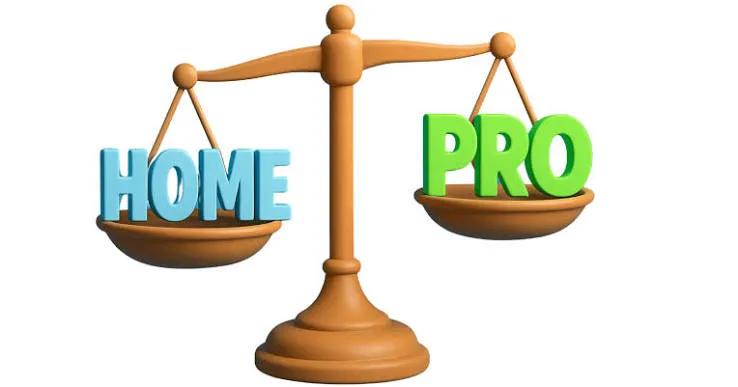
Windows 11 has become a standard choice for many desktop and laptop users. When purchasing a Windows license or selecting an edition for a new computer, one of the most common questions is about Windows 11 Home vs Pro. While both editions are based on the same Windows 11 platform, they are designed for somewhat different audiences.
Windows 11 Home focuses on personal and everyday computing, whereas Windows 11 Pro provides additional tools for professionals, businesses, developers, and advanced users. Knowing what separates the two editions can make it easier to choose an appropriate operating system.
Understanding Windows 11 Home
Windows 11 Home is intended primarily for personal users. It provides the core Windows experience needed for common activities such as browsing websites, watching videos, using productivity software, managing documents, attending online meetings, and playing games.
The Home edition also includes several built-in security features. Windows Security provides protection against common threats, while supported hardware can provide Secure Boot, Windows Hello, and device encryption capabilities.
For students and home users who want a computer for school, entertainment, communication, and general productivity, Windows 11 Home can provide a suitable environment.
Another benefit is simplicity. Users who do not need business management or advanced networking tools can use the standard Windows interface without dealing with professional features they may never use.
Understanding Windows 11 Pro
Windows 11 Pro includes the main functionality of Windows 11 Home while adding several features designed for professional and organizational use.
One important feature is BitLocker Drive Encryption. On supported systems, BitLocker can encrypt storage drives to help protect information from unauthorized access. This can be valuable for business computers and laptops containing confidential files.
Windows 11 Pro also supports Remote Desktop hosting. This allows an authorized user to connect to a Pro computer remotely, which can be useful for remote workers, IT professionals, and business users.
Pro additionally supports Hyper-V virtualization on compatible hardware, providing tools for creating and running virtual machines.
Security Differences
Security is one of the major areas to consider when researching Windows 11 Home vs Pro.
Both editions include Windows Security, firewall protection, Secure Boot, and other security technologies depending on the device. Users should also keep their operating system updated and use strong authentication methods.
The Pro edition adds BitLocker Drive Encryption, which provides more advanced drive-encryption functionality. This can be particularly relevant to organizations and professionals who store sensitive business information locally.
However, Windows edition alone does not guarantee complete security. Safe browsing habits, software updates, backups, and appropriate account protection remain important for every Windows user.
Remote Access and Productivity
Remote Desktop can be especially useful for professionals.
With Windows 11 Pro, a computer can be configured as a Remote Desktop host. An authorized user can then access that computer from another location using a compatible device.
This can benefit people who work from home but need to access applications or files stored on their office PC. It can also help IT professionals manage certain remote systems.
Windows 11 Home does not include the same built-in capability to host Remote Desktop connections.
Virtualization and Advanced Computing
For developers and technology enthusiasts, virtualization can be another important consideration.
Windows 11 Pro supports Hyper-V, which allows compatible PCs to run virtual machines. A virtual machine can be used for software testing, development, troubleshooting, or experimenting with different operating system environments.
For example, a developer might use a virtual machine to test an application without changing the configuration of their primary Windows environment.
If you never use virtual machines, however, this feature may have little practical value for you.
Business and Device Management
Windows 11 Pro provides additional features for organizations. Business environments may require domain connectivity, Microsoft Entra ID integration, and other management capabilities.
These features can help organizations manage users, computers, security policies, and access to company resources.
For an individual who owns a single home computer, these tools are generally less important. Businesses with multiple devices may have different requirements and should examine their IT environment before selecting an edition.
Windows 11 Home vs Pro: Making Your Choice
When comparing Windows 11 Home vs Pro, think about how you actually use your computer.
Home can be suitable for gaming, education, entertainment, browsing, personal projects, and general productivity. Pro is designed to provide additional functionality for people who need advanced security, remote access, virtualization, or business management tools.
You can review this Windows 11 Home vs Pro comparison to learn more about the differences between the editions.
Conclusion
The difference between Windows 11 Home and Pro is mainly related to advanced functionality. Both editions provide the core Windows 11 experience, but Pro expands the platform with additional features intended for professional and business use.
Before choosing an edition, identify the features that matter most to you. If your requirements are mainly personal, Home may provide the necessary tools. If you need professional features such as BitLocker, Remote Desktop hosting, Hyper-V, or business connectivity, Pro provides additional capabilities to consider.
For a more detailed feature comparison, you can also visit this Windows 11 Home vs Pro guide before making your purchase or upgrade decision.